
Docs Every day
Your day
Home is one card and fourteen dates. Here is how to read it, and how to change it.
Home has one loud object on it: the session for today. Everything else on the screen is there to tell you where today sits, or to change what today is.
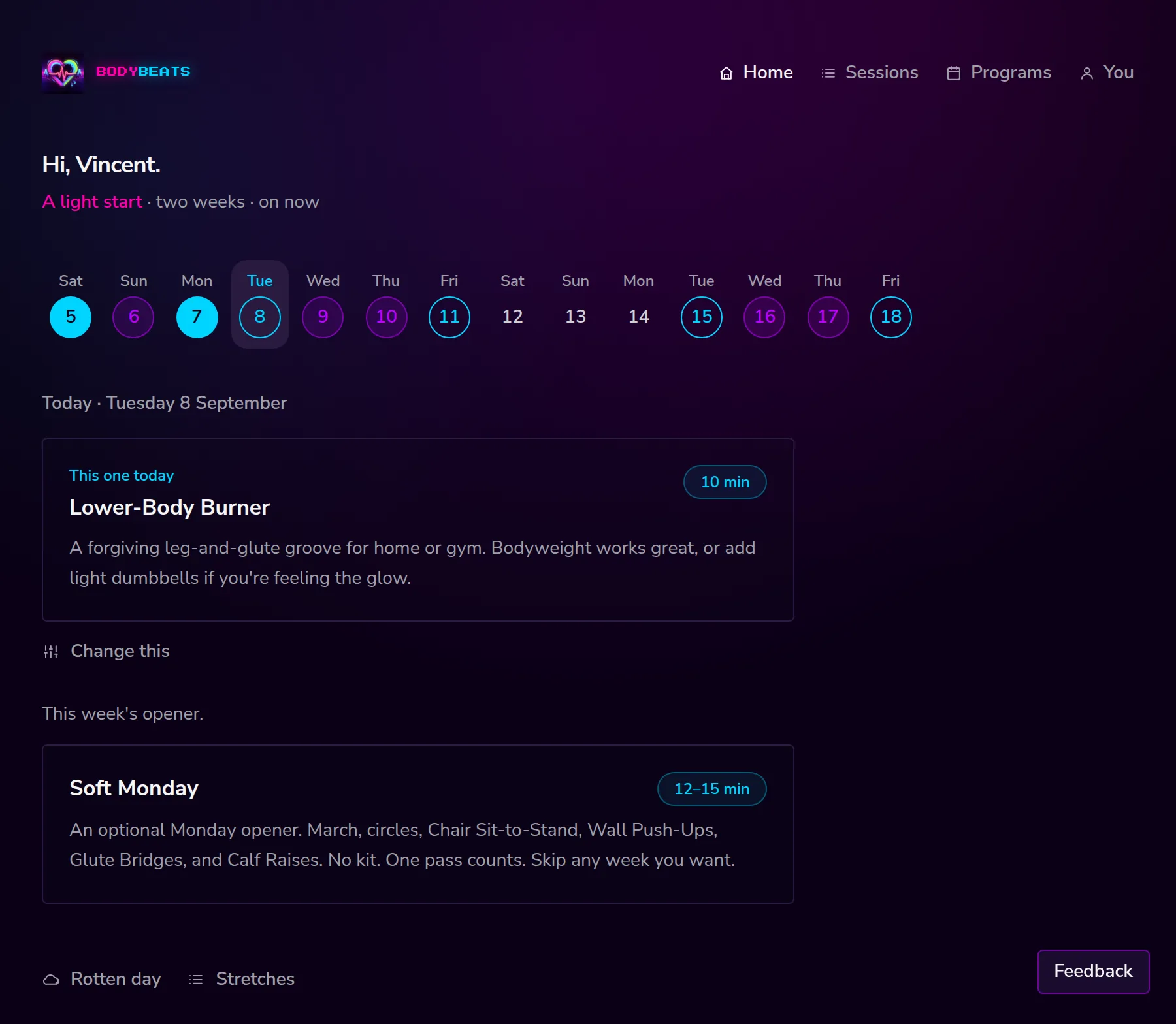
The fourteen days
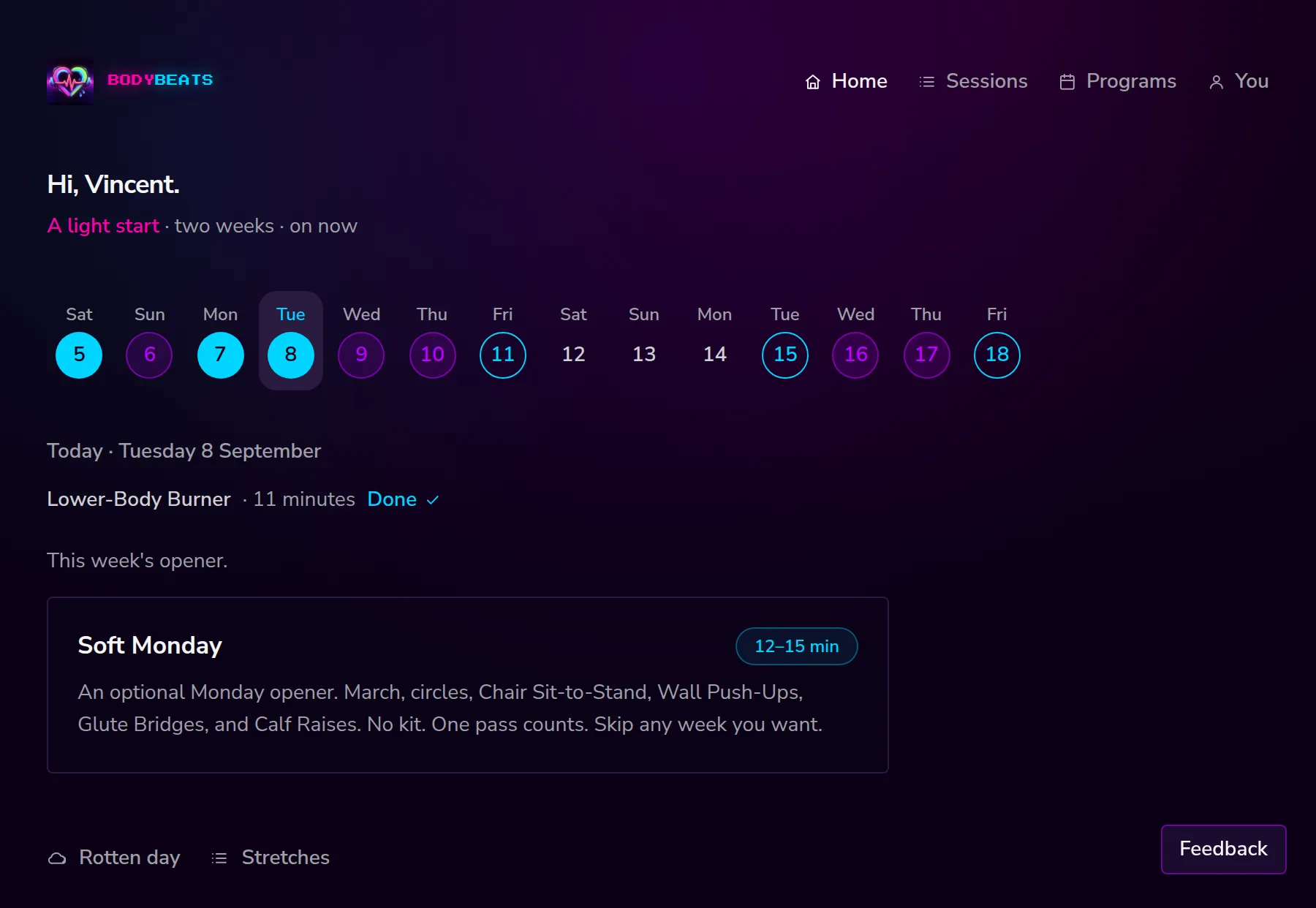
The strip across the top is a locator, not a scoreboard. It runs from three days behind you to ten days ahead, and it tells you where you are.
- Filled cyan — you showed up that day.
- Hollow cyan — a session is on that day.
- Purple — a rest day.
- Plain number — nothing planned, nothing done.
Today's weekday label is cyan. Whichever day you are looking at gets a quiet pill behind it. Tap any date to look at that day; the card underneath changes to match.
The session card
The card carries the session name, a cyan chip with how long it takes, and a line about what it feels like. Tap anywhere on it to open the session.
Above the name is a short label telling you why this card is here:
- This one today — the next session in your program.
- You put this here — a session you pinned to this date yourself.
- Then this one. — a second session on the same day.
- Or this one. — a rest day, with the next session offered anyway.
- This week's opener. — the optional weekly opener, offered on the first day or two of your week. One pass counts, and leaving it costs nothing.
Change this
Under the card is a single control called Change this. Open it and up to four options appear, which covers most of the reasons today is not going to plan. It only shows on today — days behind you are a record, not a decision.
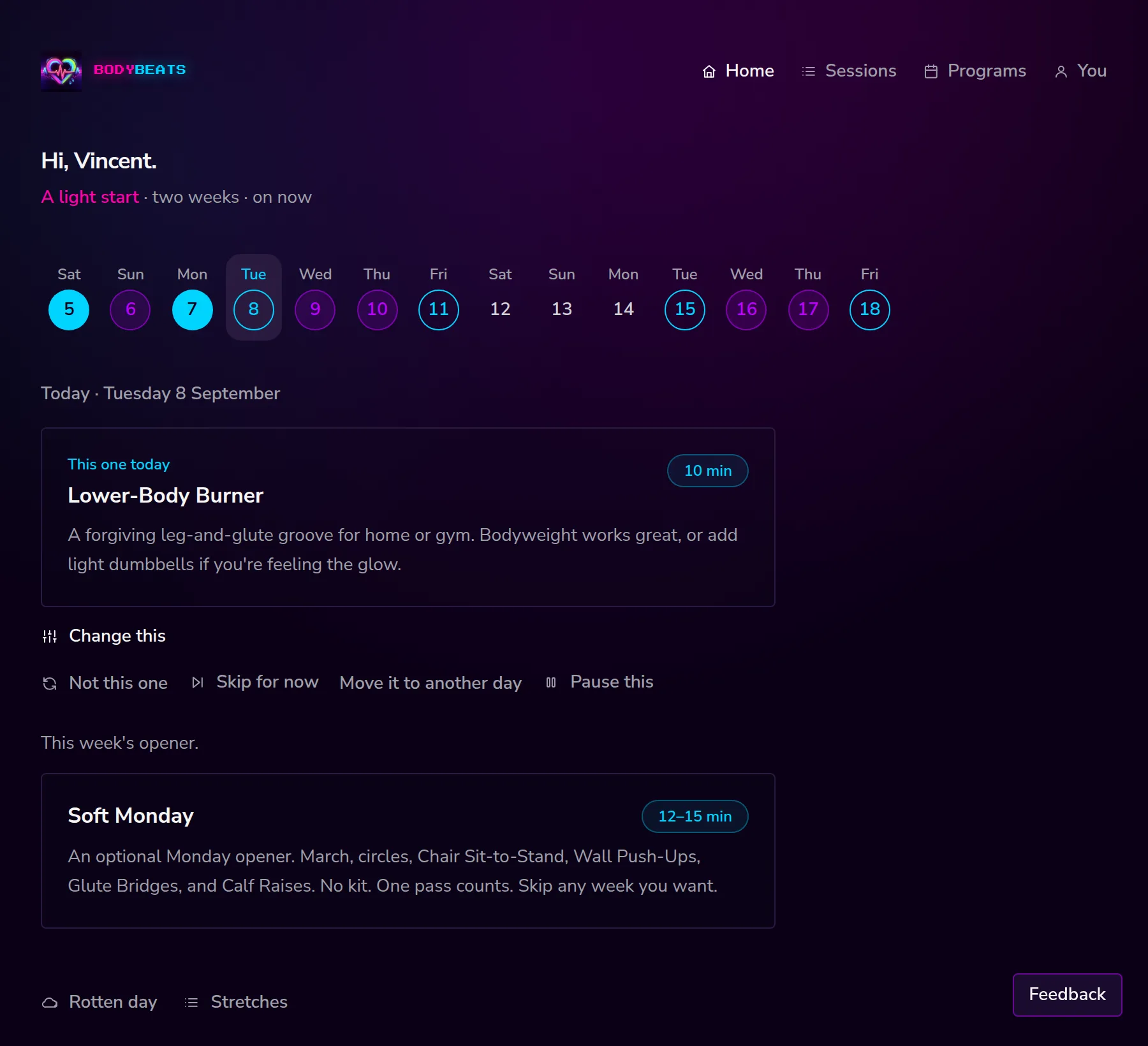
- Not this one — swap this session for another, without touching the rest of the plan.
- Skip for now — park today's session and let the next one come forward. It is only offered when the week has another session to fall back on, and a parked session can come back around once you have done the other one.
- Move it to another day — pick a date further out. If something is already there you choose between Add it next to that session and Push the rest of the plan a day. Keep it today backs out.
- Pause this — put the whole program on hold. It stops appearing on home until you start it again.
Not this one opens a list grouped into Saved, Made by you and From us. Pick one and the day swaps over. Keep this one backs out without changing anything.
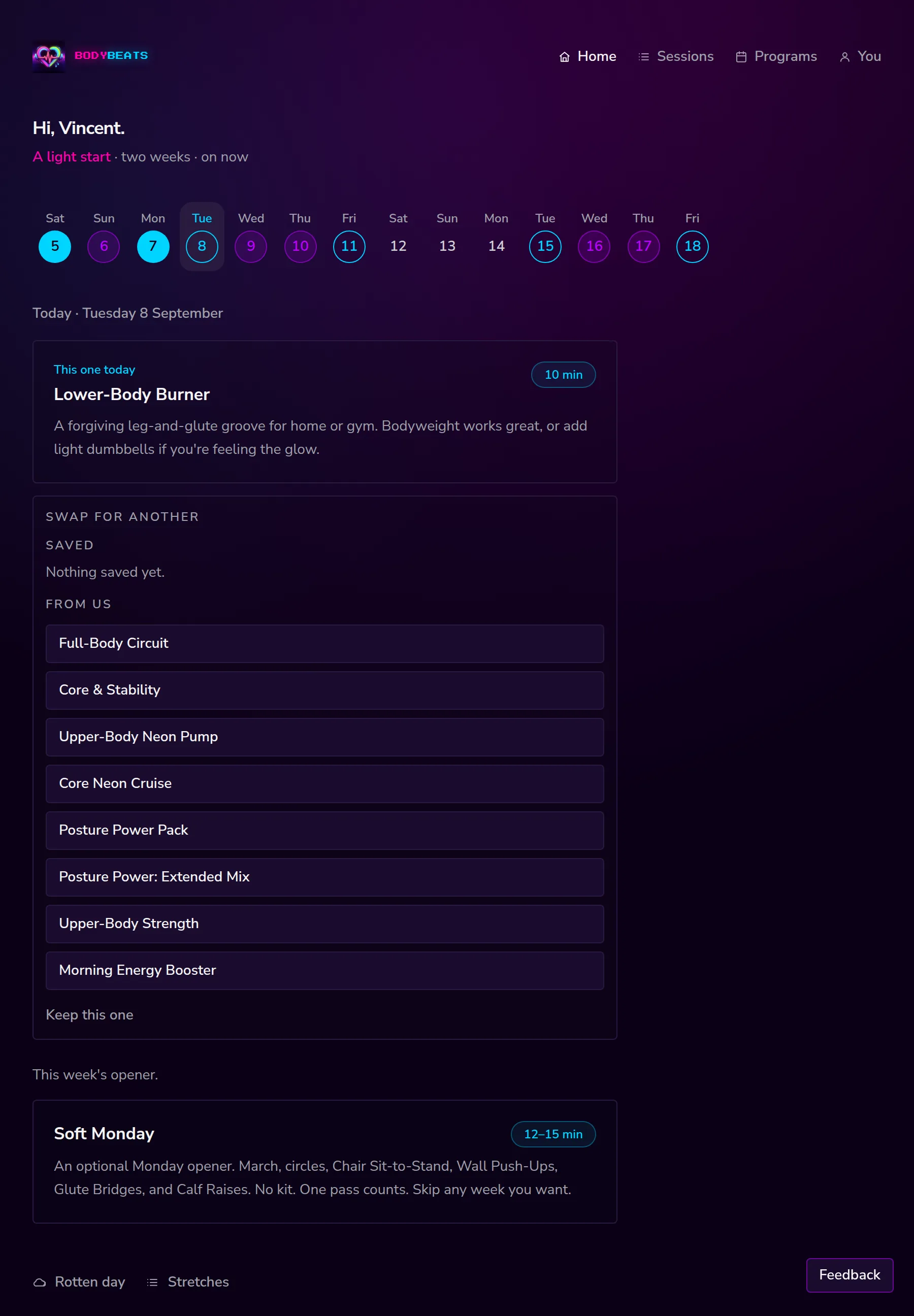
Looking at another day
Tapping a date in the strip peeks at it. What you see depends on where it is:
- A day behind you — what you did, as a plain line: the name, how long, and Done. A session that was on the plan and did not happen is just its name, quietly. Nothing to change either way.
- A rest day — the word Rest, and often a session offered anyway.
- A day ahead — the session waiting there, or Nothing planned.
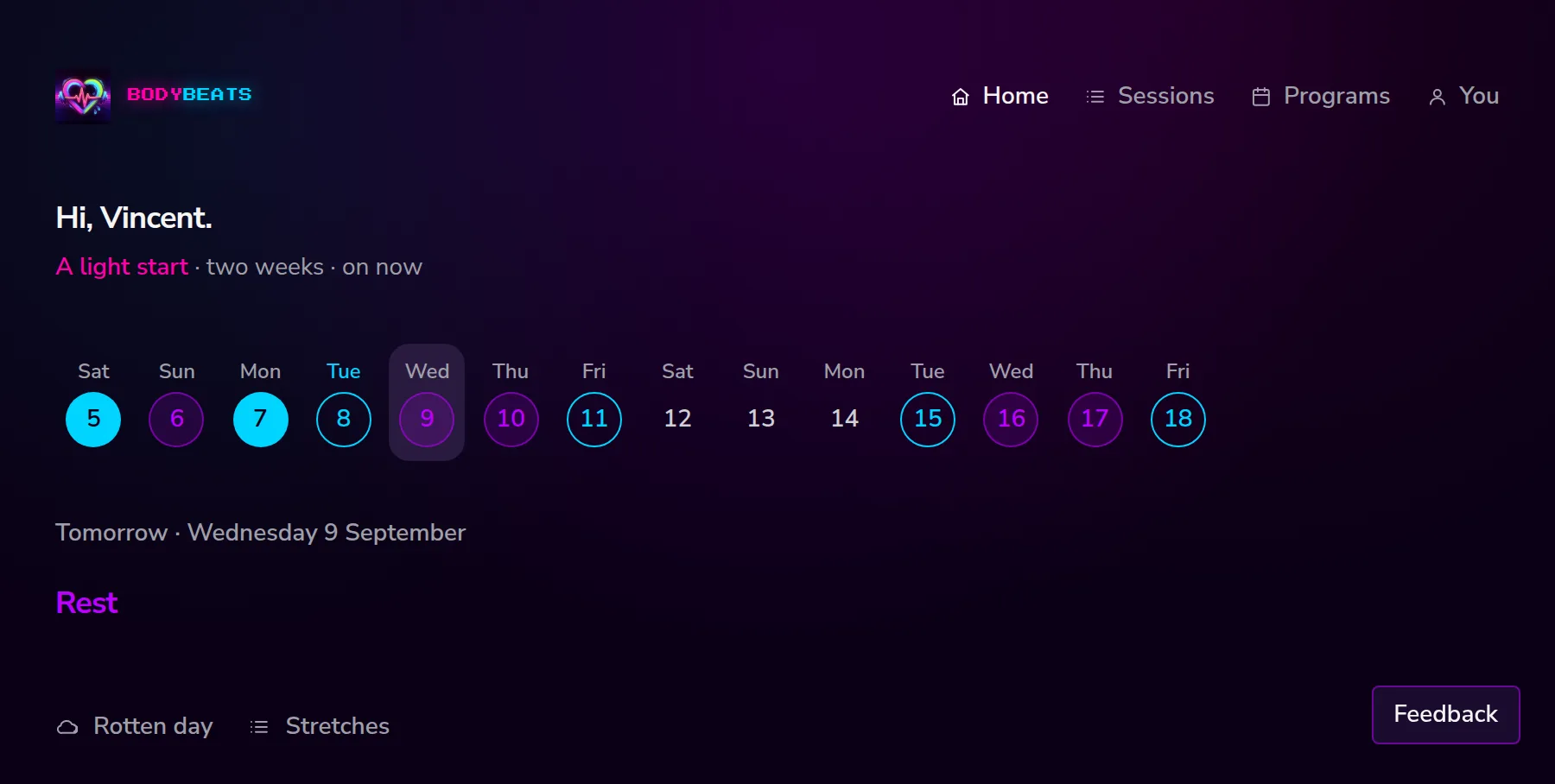
At the bottom of every day there are two quiet links: Rotten day and Stretches. Those are covered in Rest days and rough days.
When you finish
Finish a session and three things happen. The date fills in cyan. The card becomes a short line — the name, how long you were at it, and Done. And your program moves on to the next session.
That is the whole reward. There is no points total, no badge, and nothing that gets worse if you leave it a week.