
Docs Every day
Doing a session
How and Do, the bar at the bottom, rounds, and what happens when you finish.
The session floor is the page you actually use with a phone propped against something. Big type, one move at a time, one bar at the bottom. No timers counting down at you, and no score at the end.
Starting
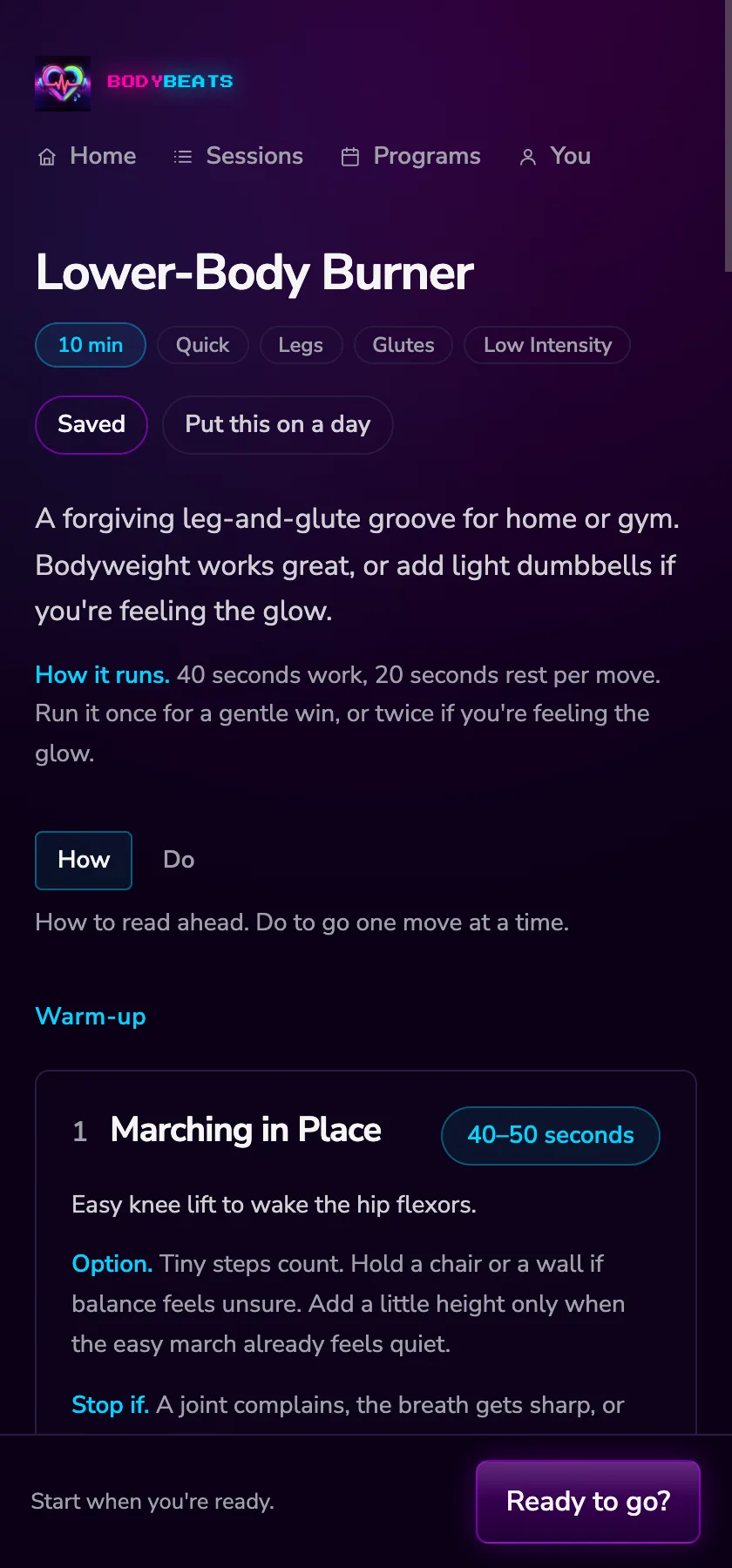
Open a session from the card on home, from Sessions, or from your library. The top of the page tells you what you are in for: the name, a cyan chip with the length, how hard it is, and a line or two on how it should feel.
How it runs. is the line underneath that explains the shape — something like 40 seconds work, 20 seconds rest per move. Run it once for a gentle win, or twice if you're feeling the glow.
When you are ready, the bar at the bottom says Start when you're ready. and offers Ready to go?. Nothing starts until you press it.
How and Do
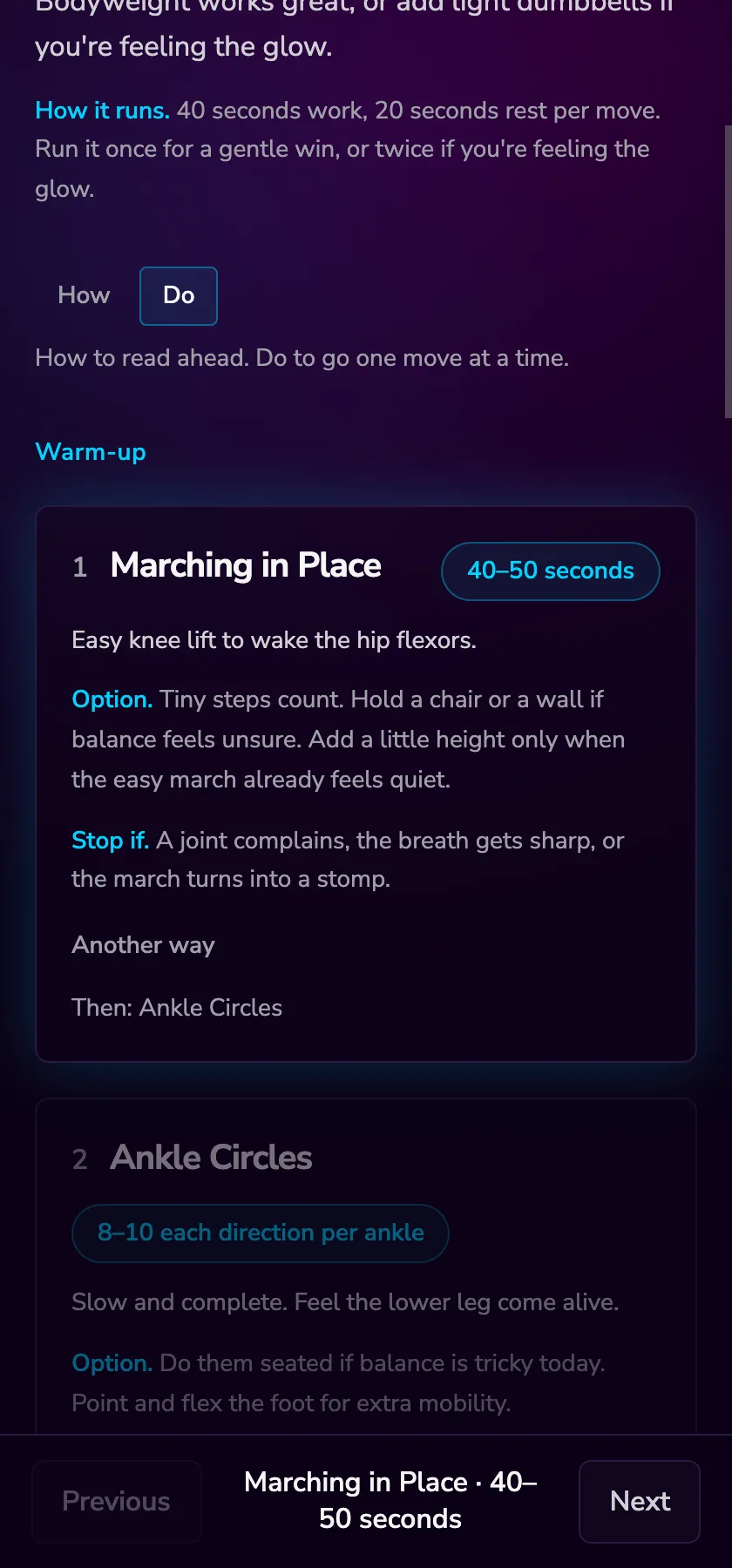
Every session has two modes, and it opens in How.
- How shows every move, so you can read ahead. Each card keeps its numbered steps folded under Show the steps until you want them.
- Do is for while you are moving. The move you are on is bright, everything else is dimmed, and the steps stay tucked away until you tap the card.
Pressing Ready to go? switches you to Do automatically. You can flip between the two at any point with the buttons above the list.
A move card
Each move is a card, built from the same parts as far as the move needs them:
- A number and the name.
- A cyan chip — the loudest thing on the card. Forty seconds, or three sets of ten, or however this move is measured.
- A sentence on what to do.
- Option. — an easier version and a harder one, so the move fits today.
- Stop if. — the reason to leave this one, when there is one.
- Show the steps — the numbered steps, plus Good for and a Muscle map where there is something worth showing.
- Another way — swap this move without leaving the session: Find an alternate, Dumbbells instead where a swap exists, or Do this later to push it to the end.
The bar at the bottom
The bar is always one short word or two. While you are moving it shows Previous, the move you are on with its length, and Next — or Next set if there is another set of the same move to go.
The middle of the bar is the bit to glance at. It reads like Round 2 · Set 1 of 3 · Push-Ups · 30 seconds, so you can check where you are without reading the card.
Rounds and extras
Plenty of sessions are meant to be run more than once. When you reach the end of the main work, the bar changes and asks:
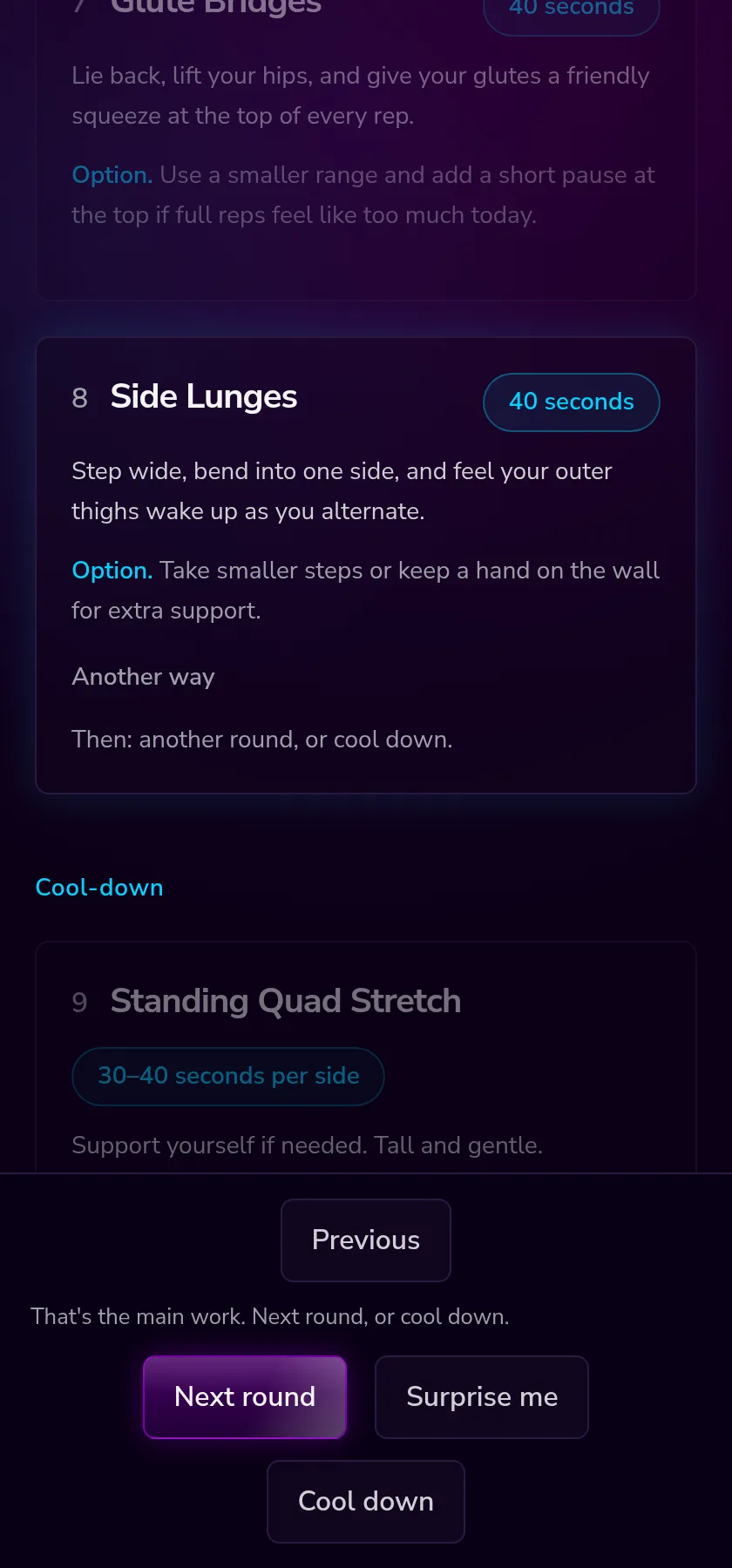
- Next round — go round again from the first main move.
- Extra round — the same button, renamed once you have done the rounds the session suggests. The bar changes with it: That's a full session. Extra round, or cool down. Four rounds is the ceiling, and after that it only points at the cool-down.
- Surprise me — opens one extra move as a suggestion, picked to suit what you have already done and what you have to hand. Another? pulls a different one; Cool down closes it and takes you to the stretches. It is an offer, not an edit — nothing is added to the list.
- Cool down — finish the work and move into the stretches.
Warm-ups and cool-downs
Some sessions already have a warm-up and a cool-down attached. When one is missing you get a button at the top or bottom of the list — Add a warm-up or Add a cool-down. Pressing it slots the moves in without reloading anything or losing your place.
Finishing
At the true end the bar says That's the session. Pick another when you're ready. with Finish and Pick another.
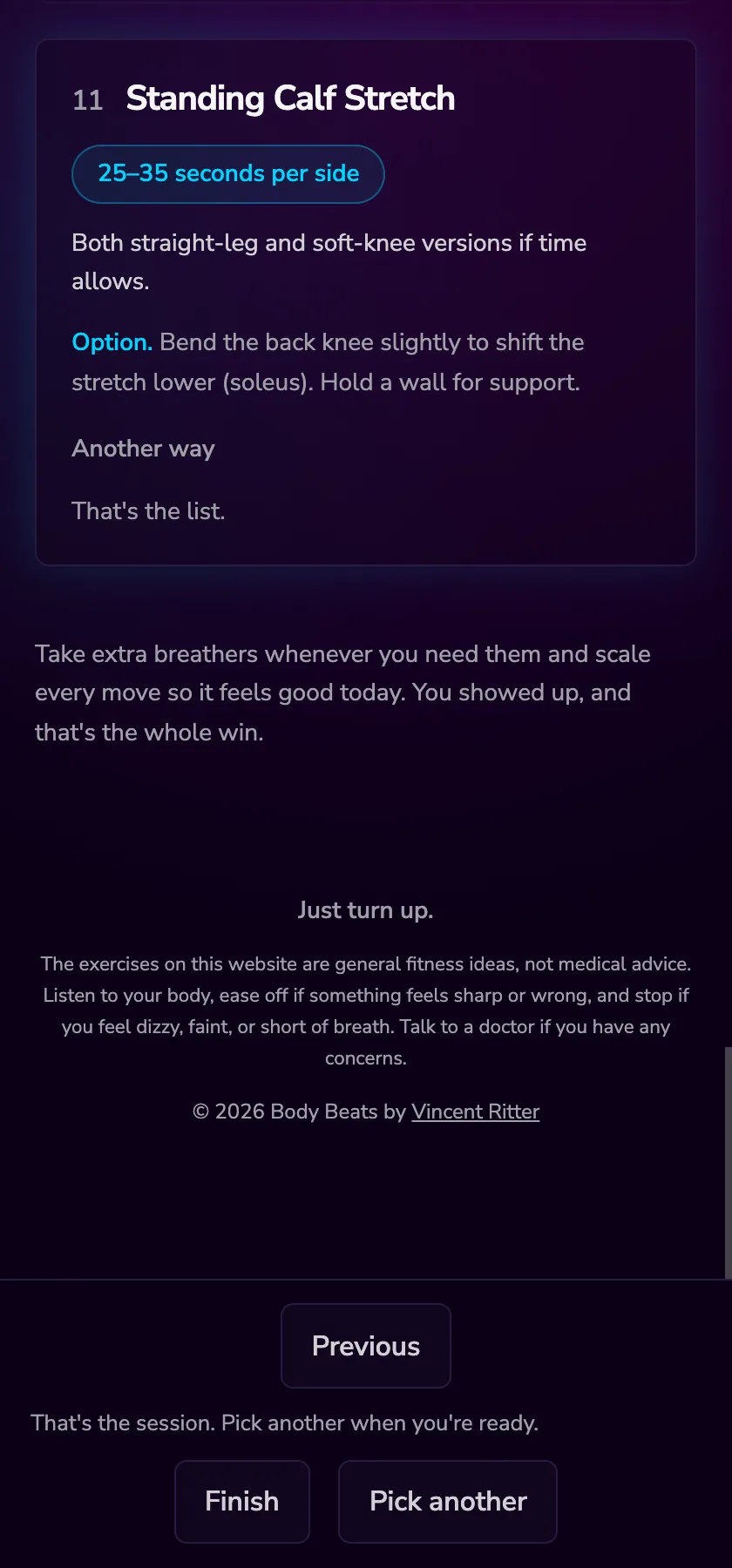
Pressing Finish records that you showed up, fills today in on your calendar, and marks the session complete in your program. You get a quiet thank-you along the lines of You showed up. That's the win. and that is it.
On a session you made yourself there is one extra thing: under each move, How was that? with Easy, Hard and A note. Mark a few and Make a new version at the end builds a session that eases off the hard ones and adds a little to the easy ones.