
Docs Start here
Set yourself up
Seven short questions. They decide what lands on your first day, and every day after.
What the setup is for
Seven questions, one per screen, each with an obvious answer and a way past it. They take a couple of minutes. What you say here decides three things: how many sessions land in a normal week, how long those sessions are, and which moves turn up in them.
Every screen has Skip for now underneath the main button, and every screen from the second one on has Back. Nothing is locked in — you can walk the whole thing again later from your profile.
The seven questions
1 of 7
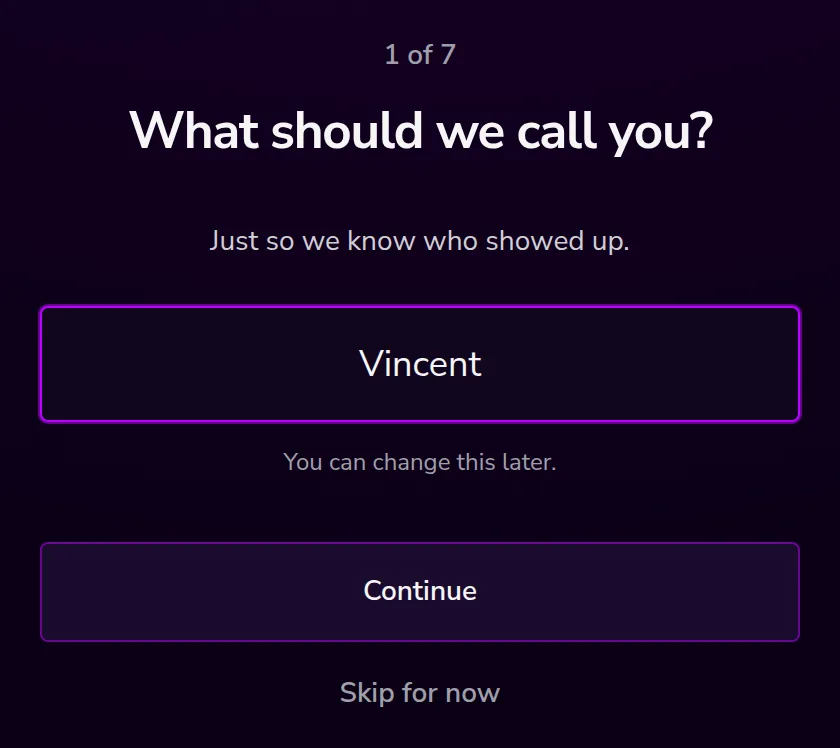
What should we call you?
A first name is plenty. It shows up as the greeting on your home screen and nowhere else. Your Account page shows it back to you, and Update your setup is where you change it.
2 of 7
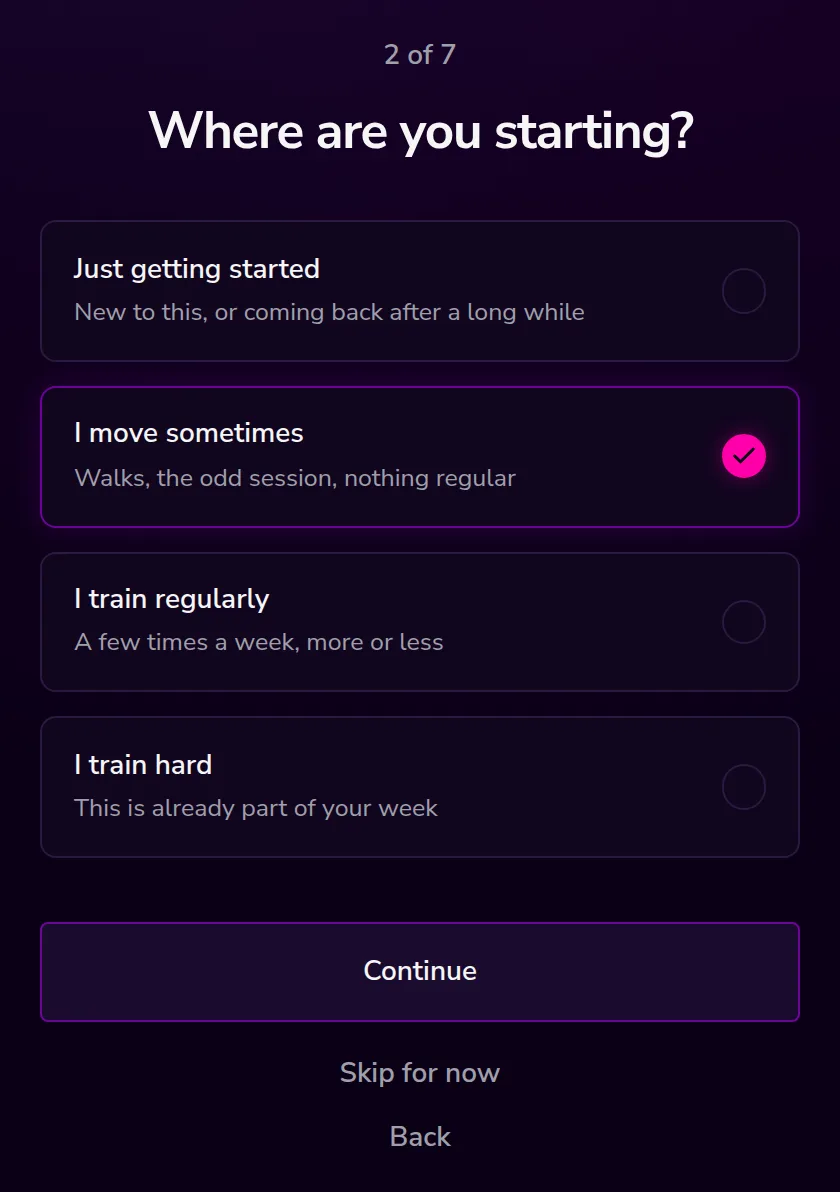
Where are you starting?
Four honest options. This is the single biggest lever in the whole setup, because it sets how many sessions a week your program plans for:
- Just getting started — one session a week
- I move sometimes — two sessions a week
- I train regularly — three sessions a week
- I train hard — four sessions a week
It also nudges which sessions we pick, and how hard the moves inside them are. Pick the one that matches the last month, not the best month you ever had.
3 of 7
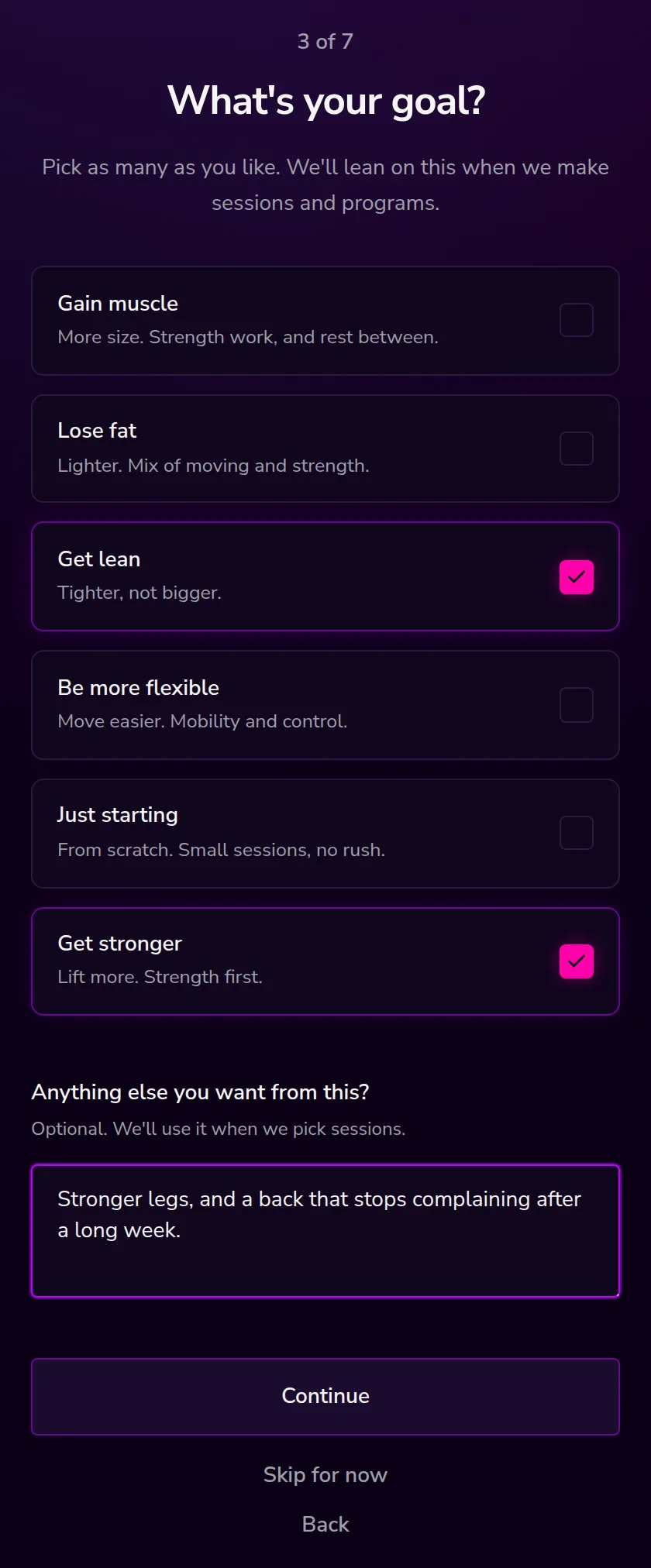
What's your goal?
Pick as many as you like: gain muscle, lose fat, get lean, be more flexible, just starting, get stronger. Sessions that match what you picked get preferred when we build a week.
Underneath there is a free text box — Anything else you want from this? Write it in plain words. It is optional, and it is used when we choose your sessions rather than being turned into a target.
4 of 7
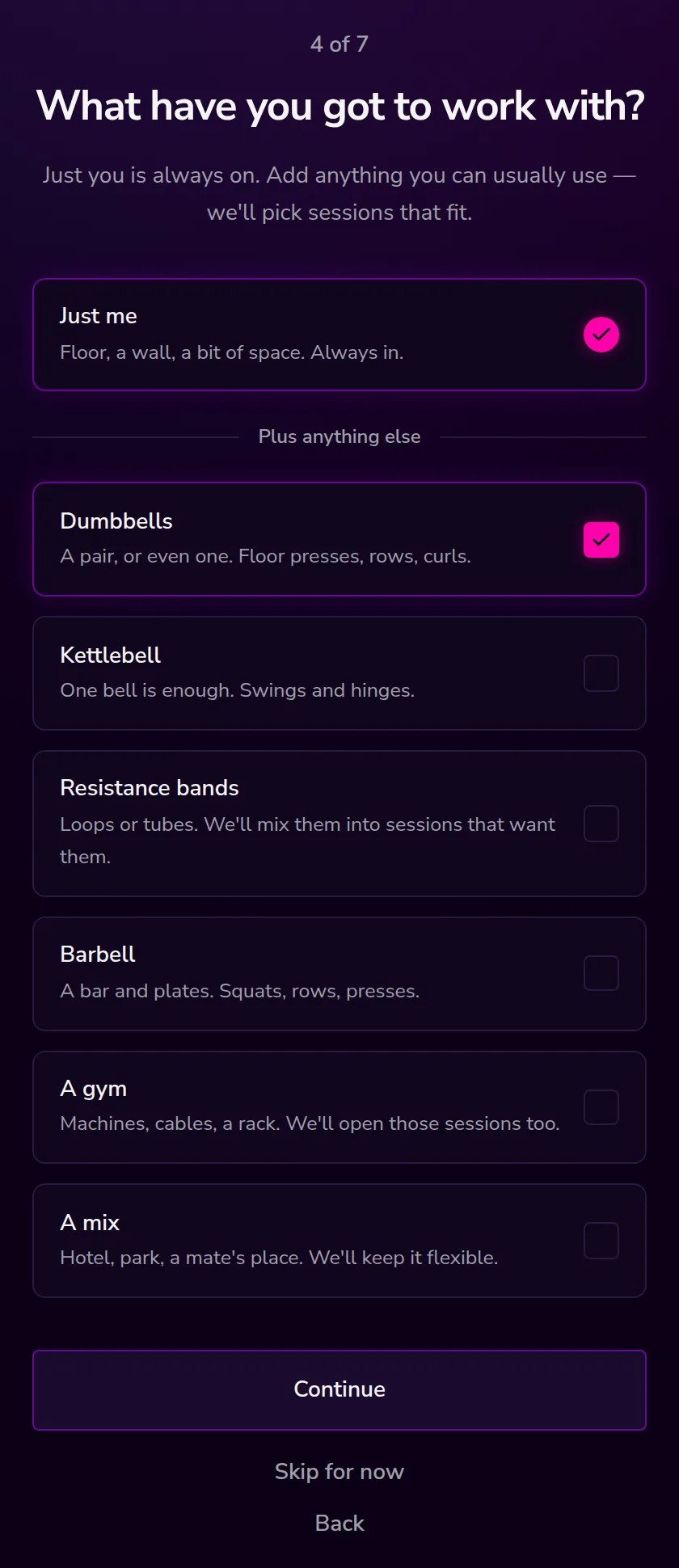
What have you got to work with?
Just me is always on and cannot be turned off — floor, a wall, a bit of space. Everything else is a bonus you can tick: dumbbells, a kettlebell, resistance bands, a barbell, a gym, or a mix.
Two of these open everything up. A gym means we stop filtering on kit at all, and A mix does the same for people who train in hotels, parks, and other people's houses. Tick what you can usually reach, not what you own somewhere.
5 of 7
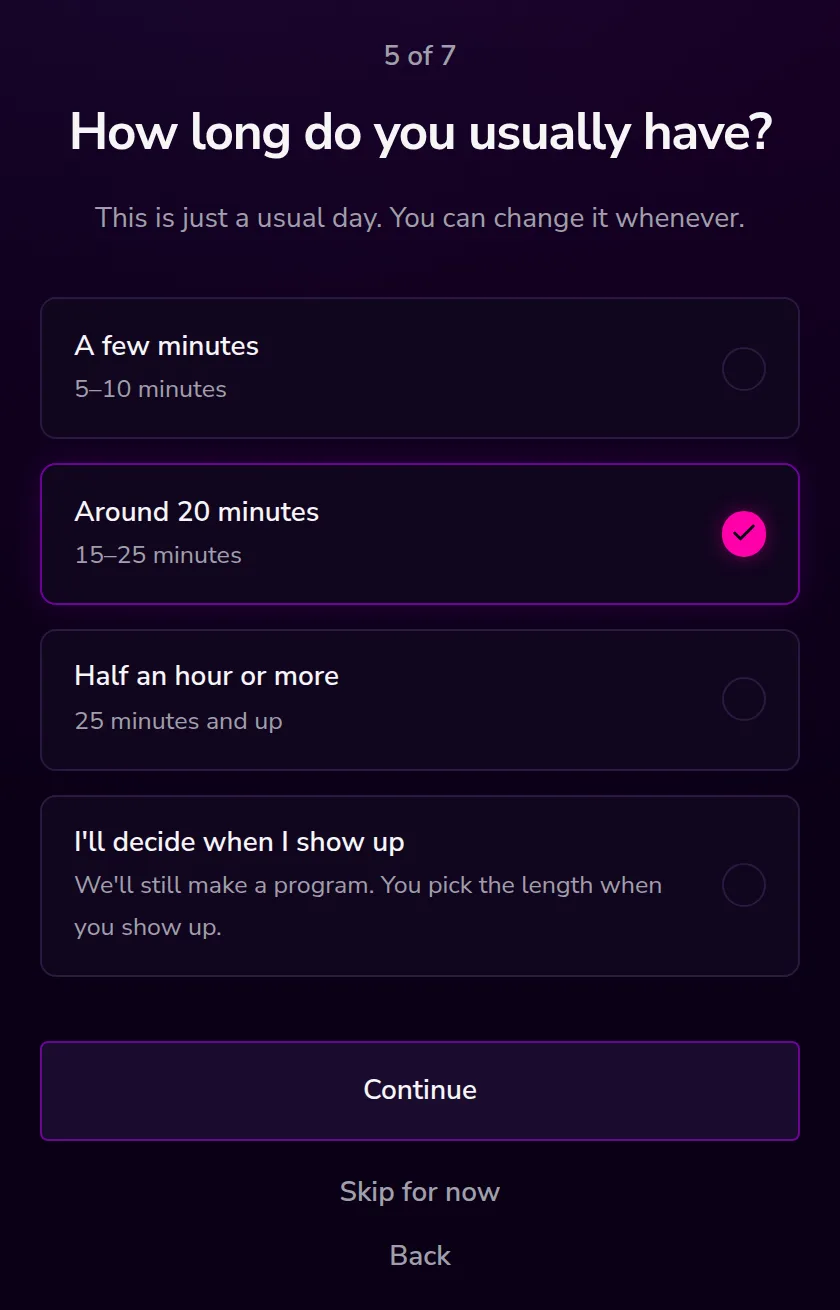
How long do you usually have?
- A few minutes — five to ten
- Around 20 minutes — fifteen to twenty-five
- Half an hour or more — twenty-five and up
- I'll decide when I show up — no usual length. You still get a program; you pick how long once you are there.
This is a usual day, not a promise. A long session on a short day is still a session you can stop early, and a short session on a free day is still a win.
6 of 7
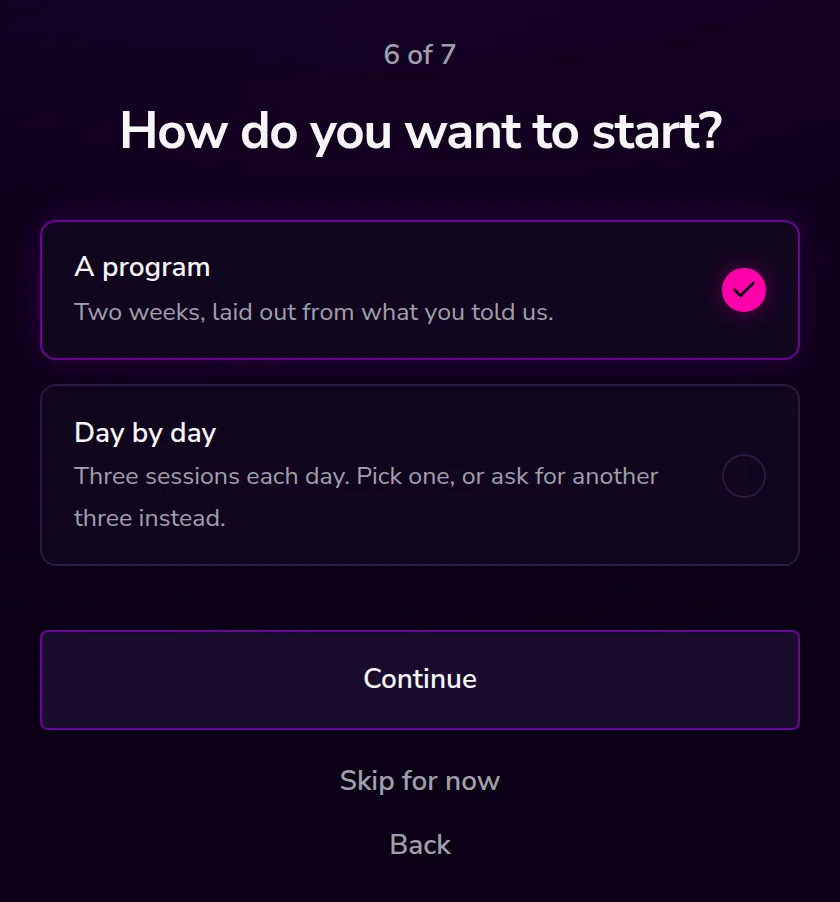
How do you want to start?
Two ways to be coached, and this one changes the shape of your home screen.
- A program — two weeks laid out from your answers, sessions and rest already on dates. Home shows the one for today.
- Day by day — no plan. Home offers three sessions each morning. Pick one, ask for another three, or rest.
Neither is the advanced option. A program suits people who like knowing what Thursday looks like. Day by day suits people whose Thursday keeps changing.
7 of 7
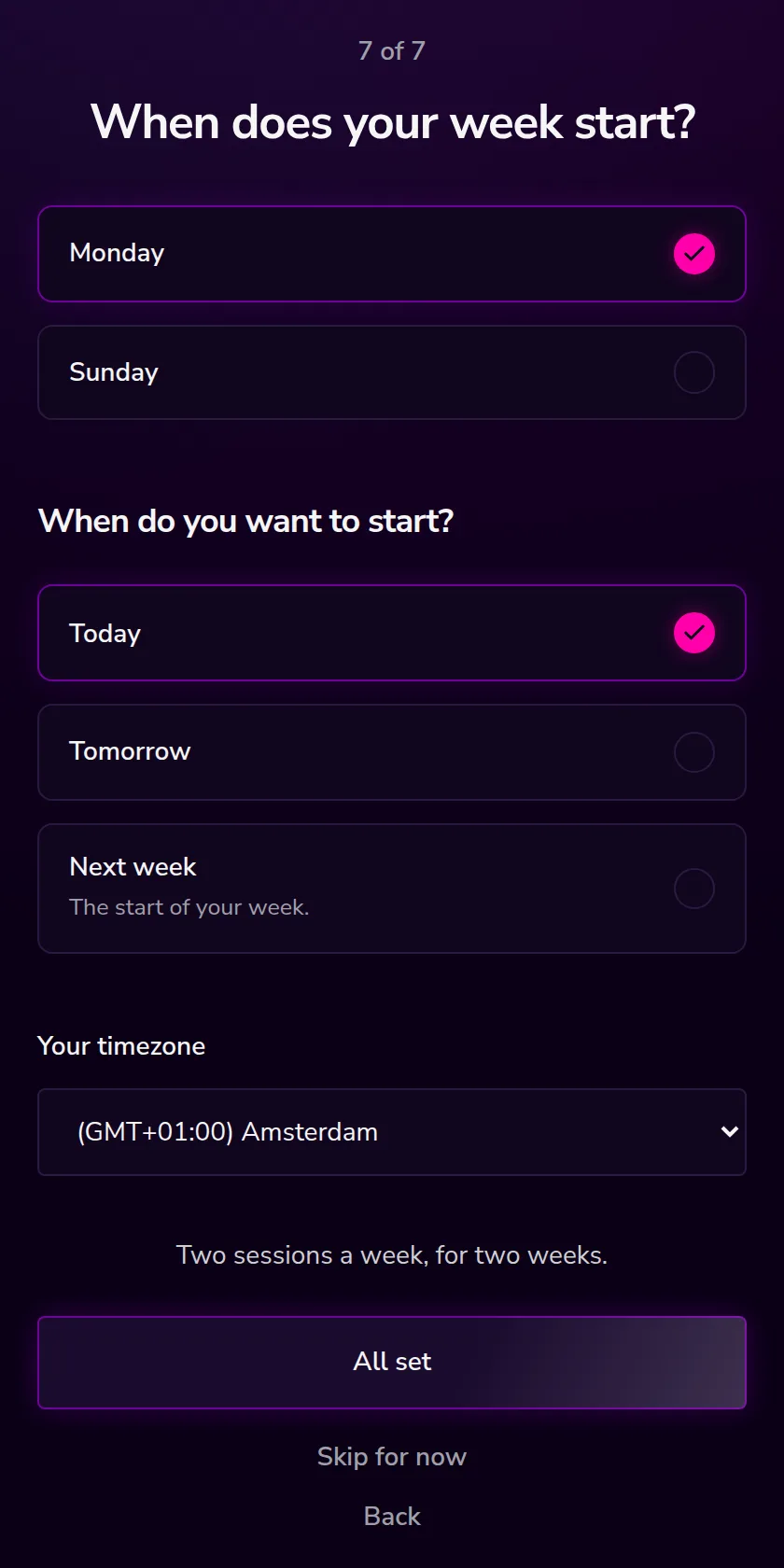
When does your week start?
Monday or Sunday — this is only about how calendars are drawn for you.
If you chose a program, this screen also asks when it starts: Today, Tomorrow, or Next week. Your timezone is detected and filled in already; it decides when your day rolls over.
Above the button is a one-line preview of what you are about to get, along the lines of Two sessions a week, for two weeks. Then press All set.
What you get at the end
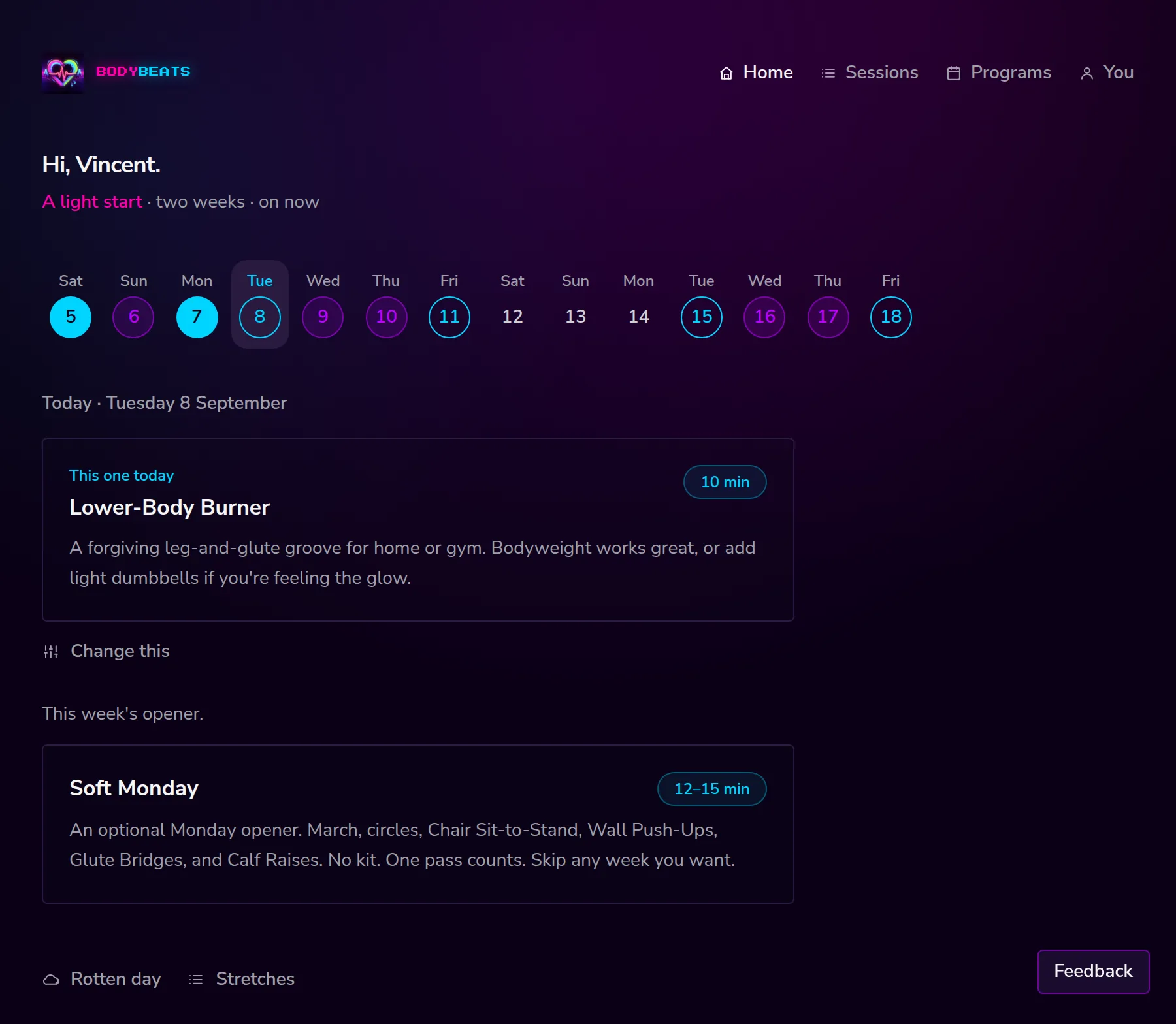
If you answered enough of the questions, we build a plan straight away. Then comes the one-time safety note — One thing first — and after that, home, with today's session already on it.
Programs are matched from a library of ready-made weeks first — the one that best fits your level, your kit, your usual length and how many days you said. If nothing fits closely enough, we assemble a week for you session by session. Either way it is two weeks long by default, with rest days already in it.
If you chose Day by day instead, there is no program. Your home screen gets three sessions to choose from, refreshed each morning in your own timezone.
Changing your answers
Go to You, then Update your setup. It walks the same seven questions with your answers already filled in.
Changing something that affects the shape of a week — your starting point, your kit, your usual length, your goals, or program versus day by day — rebuilds your program from the new answers and says so: We put a program together from what you told us. Start when you're ready. Changing your name, your week start, or your timezone leaves the plan exactly where it is.
Skipping
Skip for now is on every screen and it never scolds you. Skip out early and we do not have enough to build a plan, so home says Pick a small one when you're ready. with a quiet Finish your setup link underneath. The whole catalog still works — you can browse sessions and do one without ever answering a question.