
Docs Going further
Your account
Your setup, your email, sharing with people, your watch, your agent, and leaving.
You in the top nav has two tabs. Profile is what you told us and what you have done. Account is the settings — email, people, devices, and the way out.
Profile
The top of your profile is your setup, read back to you in plain words: your starting point, what you are after, what you have got, the time you usually have, how you train, and when your week starts. Update your setup at the bottom walks the seven questions again.
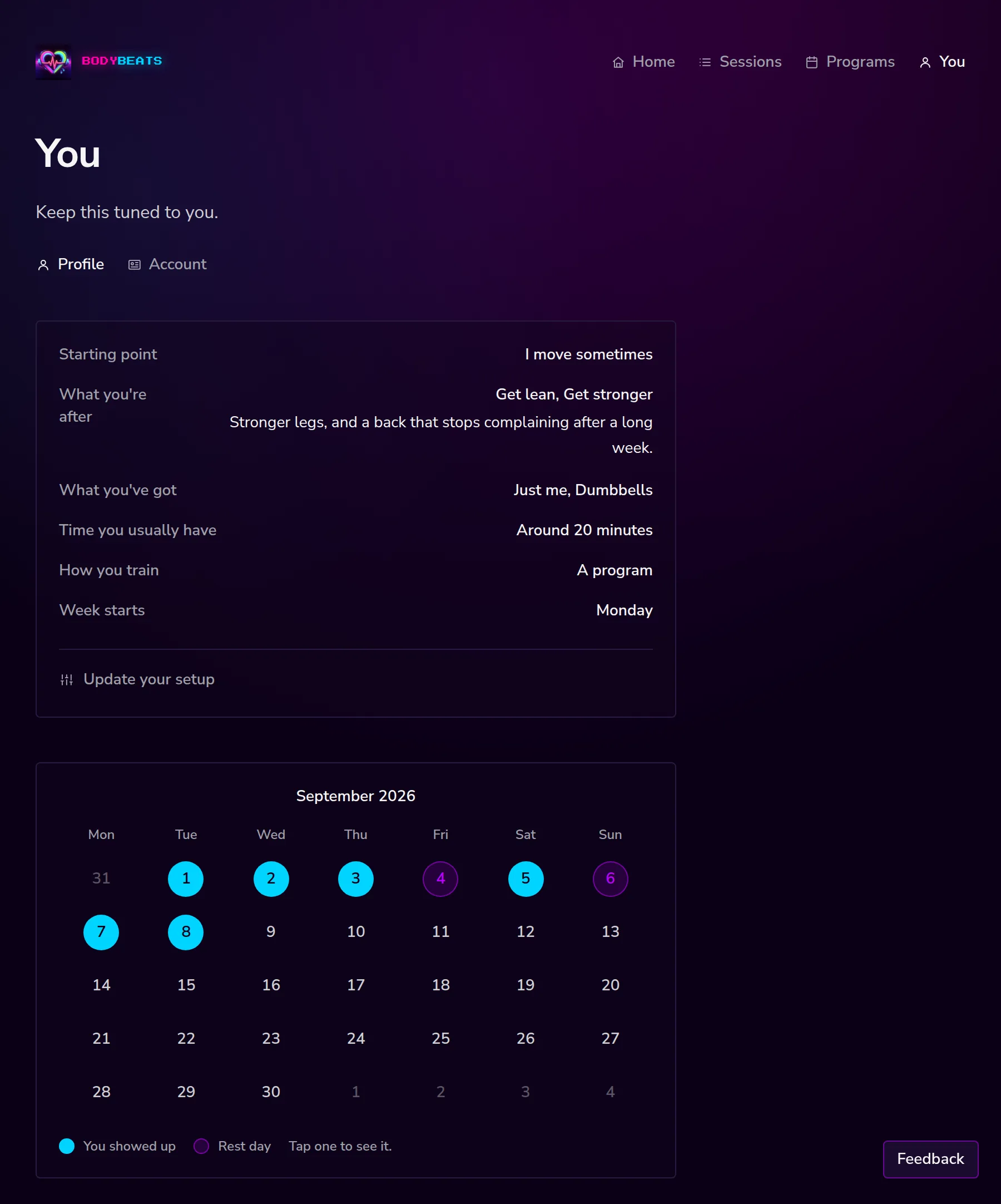
Under that is the month. A blue dot is a day you showed up, a purple ring is a rest day you marked yourself, and a plain number is a quiet day. Tap one to see it. The month either side is a link with its own name on it — August 2026, October 2026 — rather than an arrow.
An empty month says Days fill in when you show up. — no chart, no average, no comparison to last month.
Account
The Account tab collects everything else.
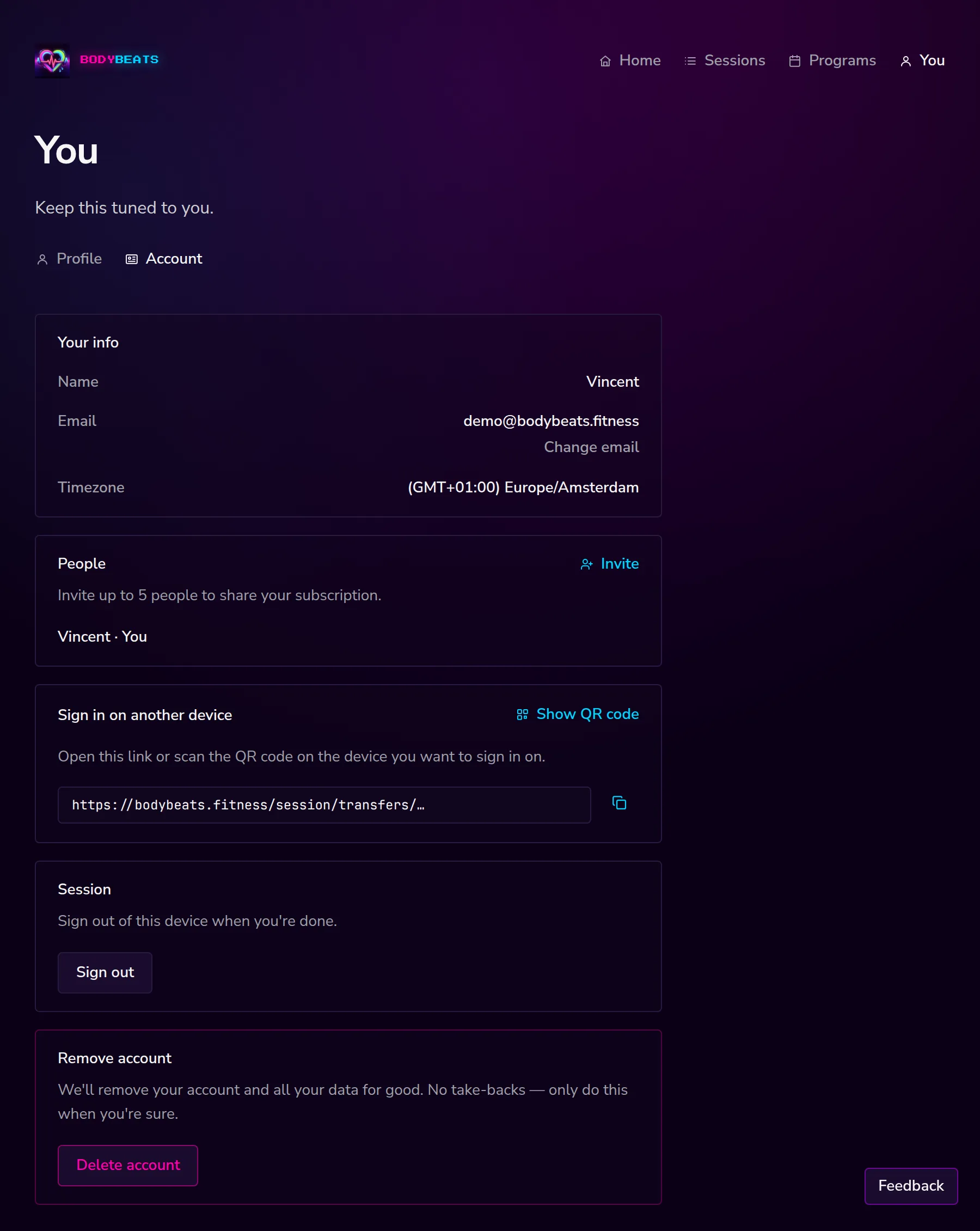
Your info shows your name, your email address and your timezone. Pricing says Body Beats is free during this preview. When it launches publicly, that may change — we'll say so here first. Sign in on another device gives you a link and a QR code that signs you in somewhere else without a code — useful for a tablet, or a laptop at the gym. The link is short-lived, so treat it like a key while it lasts.
Changing your email
Change email next to your address asks for the new one and sends a verification link there. Open that link, confirm, and the change takes effect — Your email address has been updated.
The link is good for two hours. Until you confirm it, your old address keeps working, and if the new address already belongs to someone else we tell you rather than failing quietly.
Sharing with people
People lets you bring up to five others onto your account — a partner, a couple of friends, whoever. Each of them gets their own setup, their own program, their own calendar.
There are two ways to invite someone:
- Invite opens the panel. Type their email, press Send, and we email them a link.
- Or share this link. — copy it, or Show QR code for someone stood next to you. Anyone who opens it can join. Rotate makes a new link and stops the old one working, which is the thing to do if one ends up somewhere you did not mean it to.
Owners can Remove anyone on the list. Anyone who joined can Leave from their own row. Both ask once before doing it.
Your watch
The watch app shows a six-digit code. On the web, open /pair and type the six digits — it submits itself on the sixth, so Connect is there for the times it does not. The code is good for fifteen minutes.
Once paired, your watch sees the same fourteen days, the same sessions, and finishing on the watch counts exactly the same as finishing on the phone. Paired devices appear under Connected devices on your Account page, with a Disconnect button next to each. Disconnecting signs out the watch and nothing else.
Agents
Agents on Account is how Claude, Cursor, Grok, or another assistant connects to your Body Beats account. You mint a token, or the app asks you to allow access in the browser. The full walkthrough is Connect your agent.
Signing out and leaving
Sign out ends the session on the device you are using. Other devices, including a paired watch, stay signed in.
Delete account is at the bottom, and it does what it says: We'll remove your account and all your data for good. No take-backs — only do this when you're sure. We ask once more, and then everything goes: your setup, your programs, your sessions, your calendar, your devices.