
Docs Going further
Finding a session
The catalog, your own sessions, saving them, and putting one on a day.
A program hands you a session a day, but the whole catalog is open whenever you want something else. This is where you go looking, and where the sessions you make or save end up.
Sessions
Sessions in the top nav is the front door. It opens on For you — sessions picked to match your level, your kit and your goals, with a shorter More list underneath for when nothing in the first set appeals.
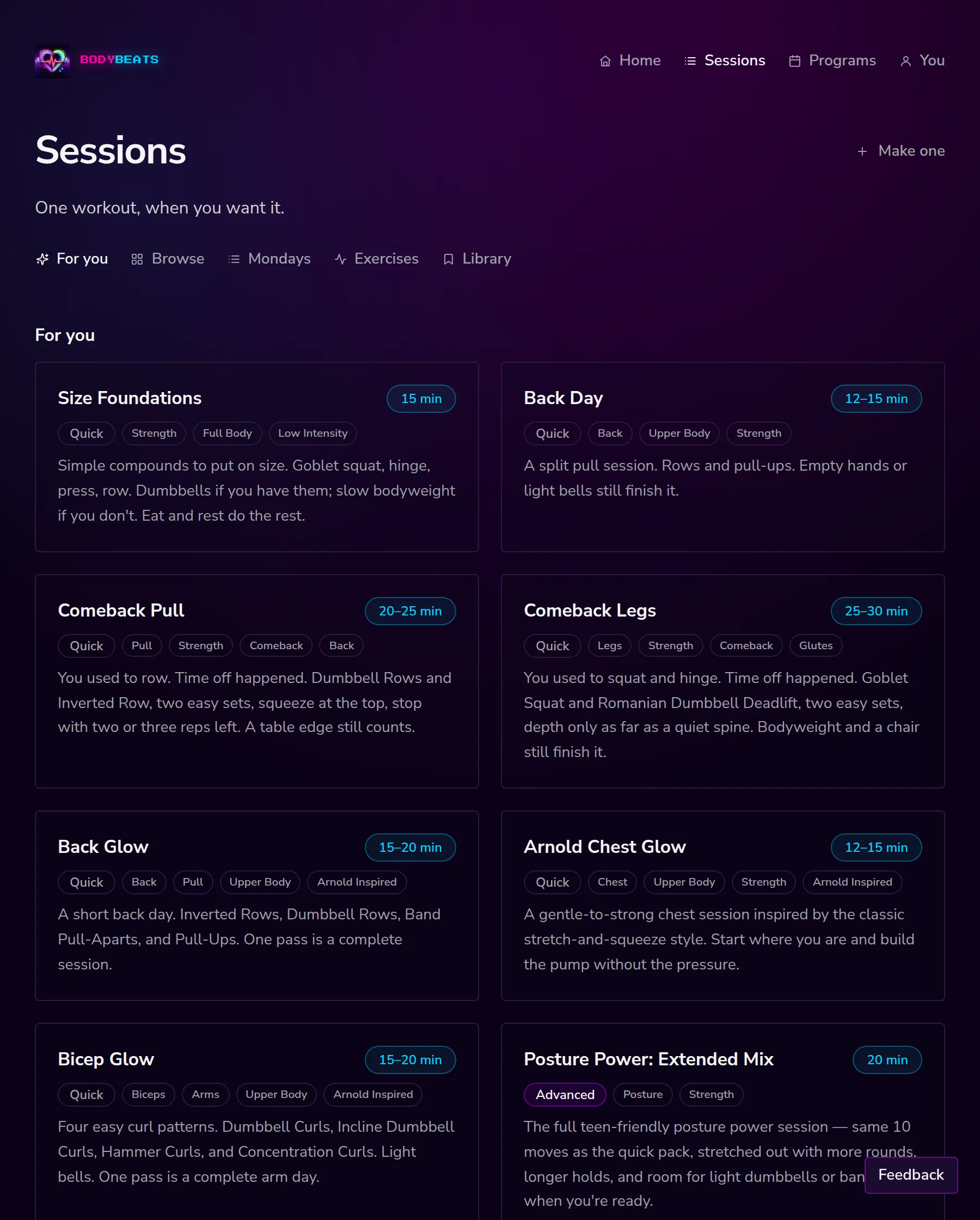
Across the top are five tabs:
- For you — matched to your setup.
- Browse — the whole catalog with filters.
- Mondays — the optional weekly openers.
- Exercises — single moves rather than sessions.
- Library — the sessions you made and saved.
Browsing
Browse is the full catalog with five rows of filters. They stack, so you can ask for a short legs session with dumbbells and get exactly that.
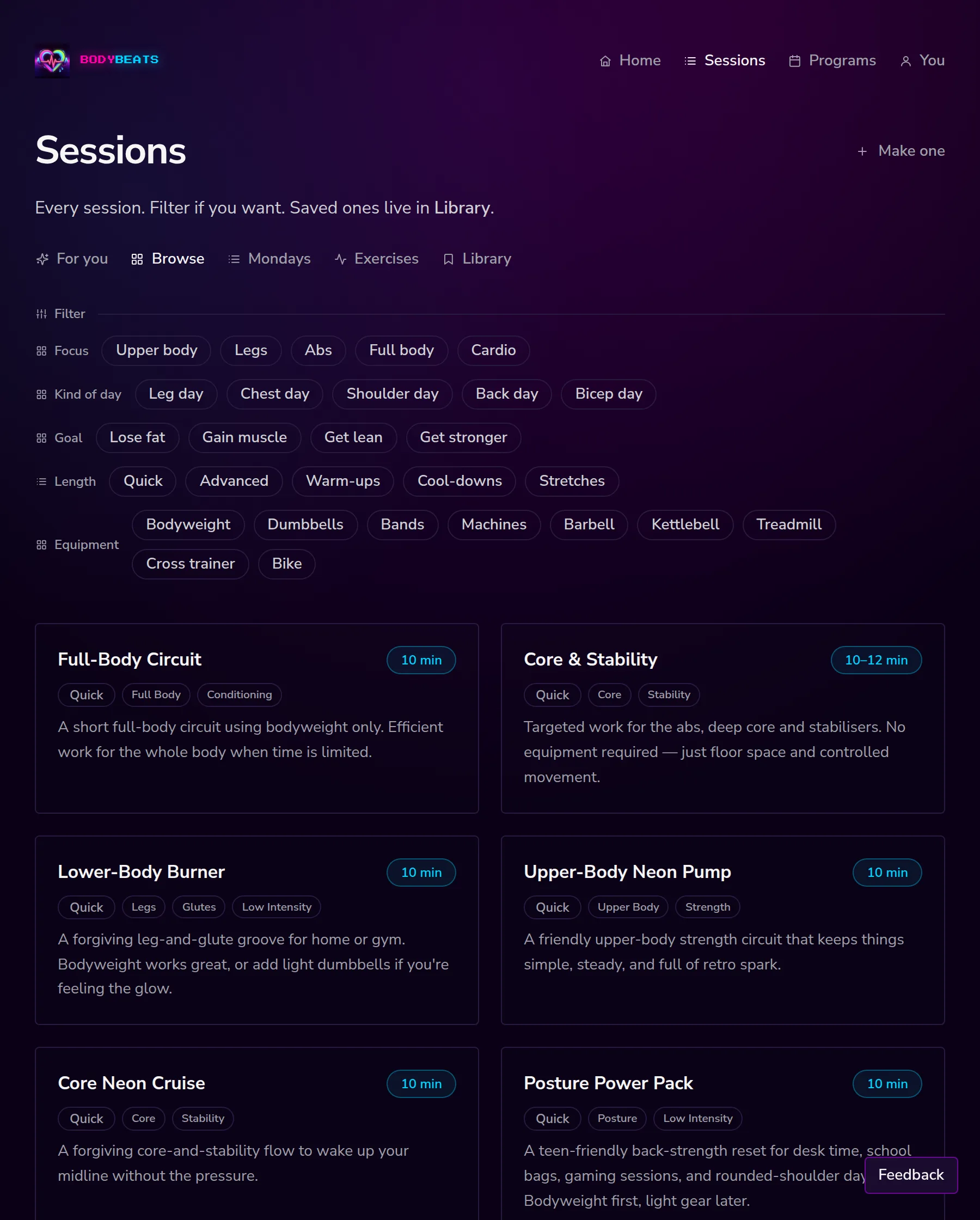
- Focus — Upper body, Legs, Abs, Full body, Cardio.
- Kind of day — Leg day, Chest day, Shoulder day, Back day, Bicep day.
- Goal — Lose fat, Gain muscle, Get lean, Get stronger.
- Length — Quick, Advanced, Warm-ups, Cool-downs, Stretches.
- Equipment — bodyweight, dumbbells, bands, machines, barbell, kettlebell, and the cardio kit: treadmill, cross trainer, bike.
If a combination turns up nothing you get Nothing matches. Clear a filter or try another. rather than an empty page.
Your library
Library holds sessions you made and ones you saved — Sessions you made, and ones you saved. Filter it by All, Saved, or any tag you have added.
While it is empty it tells you what fills it, rather than just being blank: Nothing saved yet. Save a session from its page and it lands here.
Making one
Make one builds a session around today rather than around your setup. It asks seven quick things, most of them chips you tap.
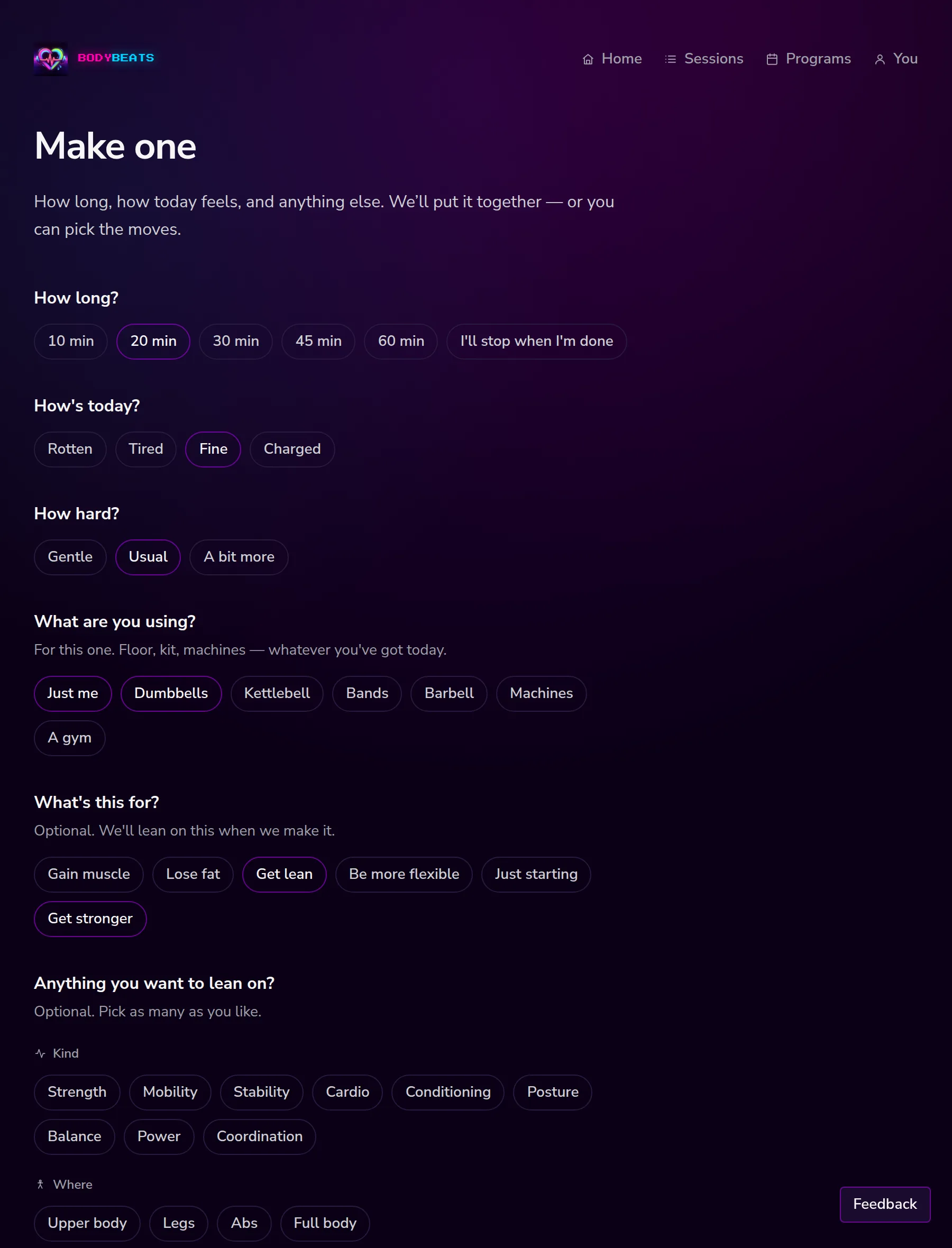
- How long? — ten minutes through an hour, or I'll stop when I'm done.
- How's today? — Rotten, Tired, Fine, Charged.
- How hard? — Gentle, Usual, A bit more.
- What are you using? — just for this session, whatever is actually in the room.
- What's this for? and Anything you want to lean on? — optional.
- Anything else? — plain words, such as Sore knee. No jumping. More glutes.
Then Make this for me puts one together, or I'll pick the moves gives you the exercise list to choose from yourself. Either way it lands in your library and behaves like any other session.
How's today? being set to Rotten is a real answer, not a confession. It makes a shorter, gentler session.
Saving and pinning
Every session page has two small controls under the title.
- Save — puts it in your library. Once saved you can Add a tag — something like Leg day or Abs — and the tag becomes a filter.
- Put this on a day — offers the days you can pin to, so you can put the session on a date. We confirm with It's on Friday. or similar.
Pinned sessions turn up on home under You put this here. To take one off, open the day and press Take it off this day. Pinning does not disturb your program — it sits alongside it, and on an empty or rest day it simply fills the space.