
Docs Going further
Programs
A plan of sessions, with rest between. Pause it, extend it, swap it, or make your own.
What a program is
A program is a seven-day pattern of sessions and rest, repeated for as long as the program runs. Two weeks is the usual length. One week and four weeks exist too, and a program can be left open-ended, in which case we keep laying down another week ahead of you.
The program is the quiet plan behind everything. You mostly do not have to look at it — home hands you one session at a time. The Programs page is there for the days you want to see the whole shape.
The one you were given
If you chose a program during setup, one was built for you from your answers and is sitting under Your active program.
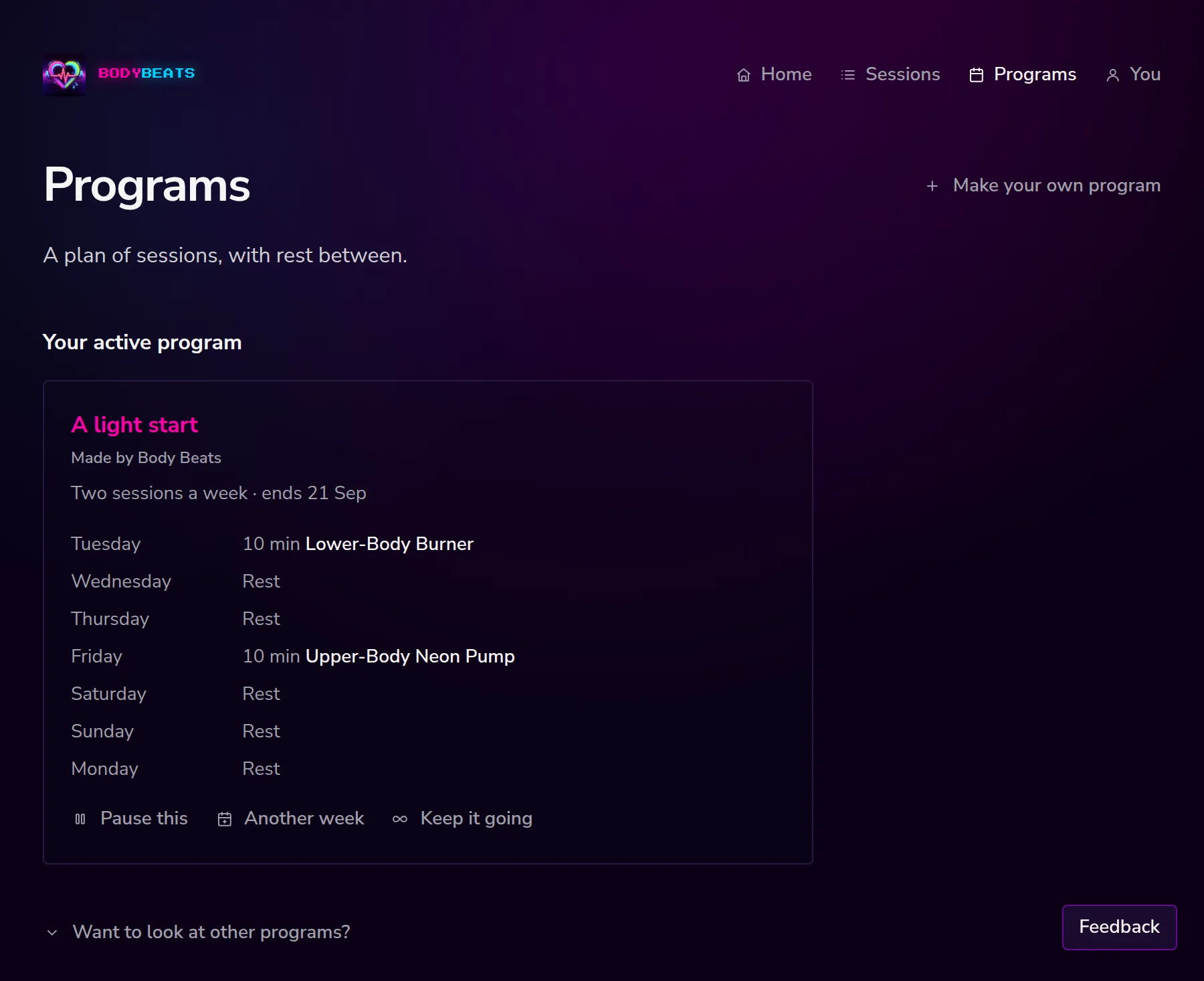
The card carries the name, where it came from, how often it runs, when it ends, and the seven days laid out with the day of the week, the length, and the session title. Rest days say Rest.
Pause, extend, finish
Three controls sit under the week, and they cover most of what a plan needs over a fortnight.
- Pause this — the program stops showing on home. Nothing is deleted. When you come back, Start it again. slides the unfinished days along so the next session lands on today, and the days you already did keep their real dates. If you would rather not return to it, Let this one go. puts it away for good.
- Another week — adds one more copy of the seven-day pattern on the end.
- Keep it going — makes the program open-ended. We keep about a week of plan in front of you from then on.
When every session in a program is done, the card says That's the program. and Come back when you're ready. Or pick another below. From there you can take Another week, switch it to Keep it going, or Pick another from the library. There is no score screen and no summary of how you did.
The library
Want to look at other programs? opens the library. There are two tabs: Made by Body Beats, which is the ready-made set, and For you, which is programs you made yourself.
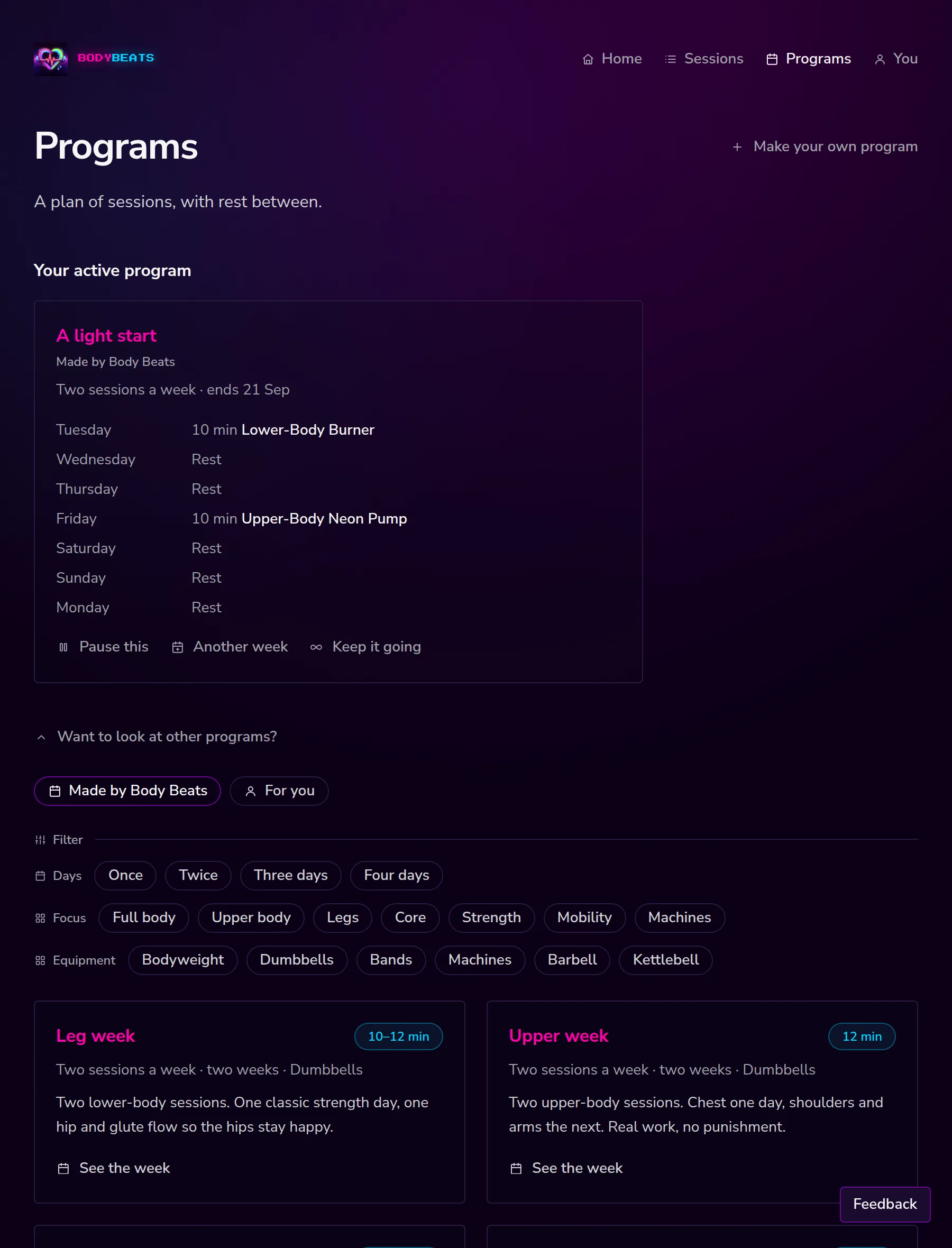
Programs that suit your level, kit and usual session length come first, and when you are between programs they get their own heading — A few that fit, with More programs underneath. Three rows of filters narrow the list down:
- Days — Once, Twice, Three days, Four days.
- Focus — Full body, Upper body, Legs, Core, Strength, Mobility, Machines.
- Equipment — Bodyweight, Dumbbells, Bands, Machines, Barbell, Kettlebell.
See the week shows the whole seven days and what it would look like if you started today. Use this program then asks once — Yes, use this — because taking a new program replaces the one you are on.
Making your own
Make your own program at the top of the Programs page opens a builder for a seven-day week.
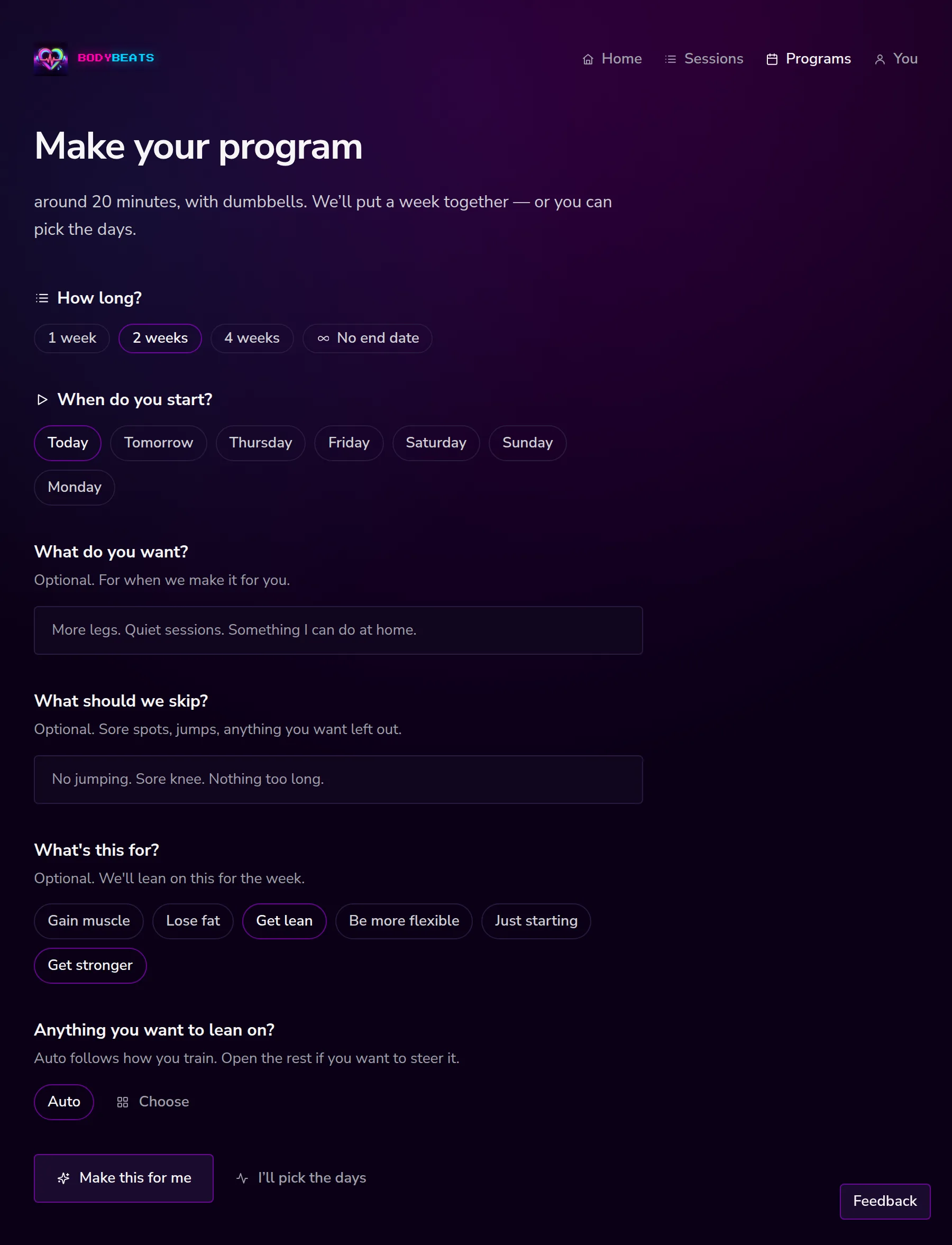
How long? takes 1 week, 2 weeks, 4 weeks or No end date. When do you start? takes today, tomorrow, or a weekday further out. Then either describe what you are after or lay the week out by hand:
- Make this for me — uses what you wrote in What do you want? and What should we skip?, plus your goals and any focus you picked, and puts a week together. It tells you what it is doing while it works.
- I'll pick the days — gives you seven empty slots, Day 1 through Day 7. For each one, pick a session from the suggestions, preview it first if you like, mark the day as rest, or leave it blank. Blank days become rest.
Name it yourself or press Name it for me and we will try one from the sessions in the week. Then Use this program to start it. If you already have a program running, Keep it for later parks the new one in your For you tab without disturbing the plan you are on.